
Your deadlines, on their day.
Your time, on purpose.
A calm planner for MBA students. Deadlines stay on their due date; you plan the work around them.
Free account. Works in the browser on phone and laptop, and installs to your home screen.
Five courses. Twenty deadlines. One calendar full of "work on X".
Most planners turn every deadline into a task that sits on your list for weeks. By Thursday you cannot tell what is due tomorrow from what is due next month, and nothing is planned on purpose.
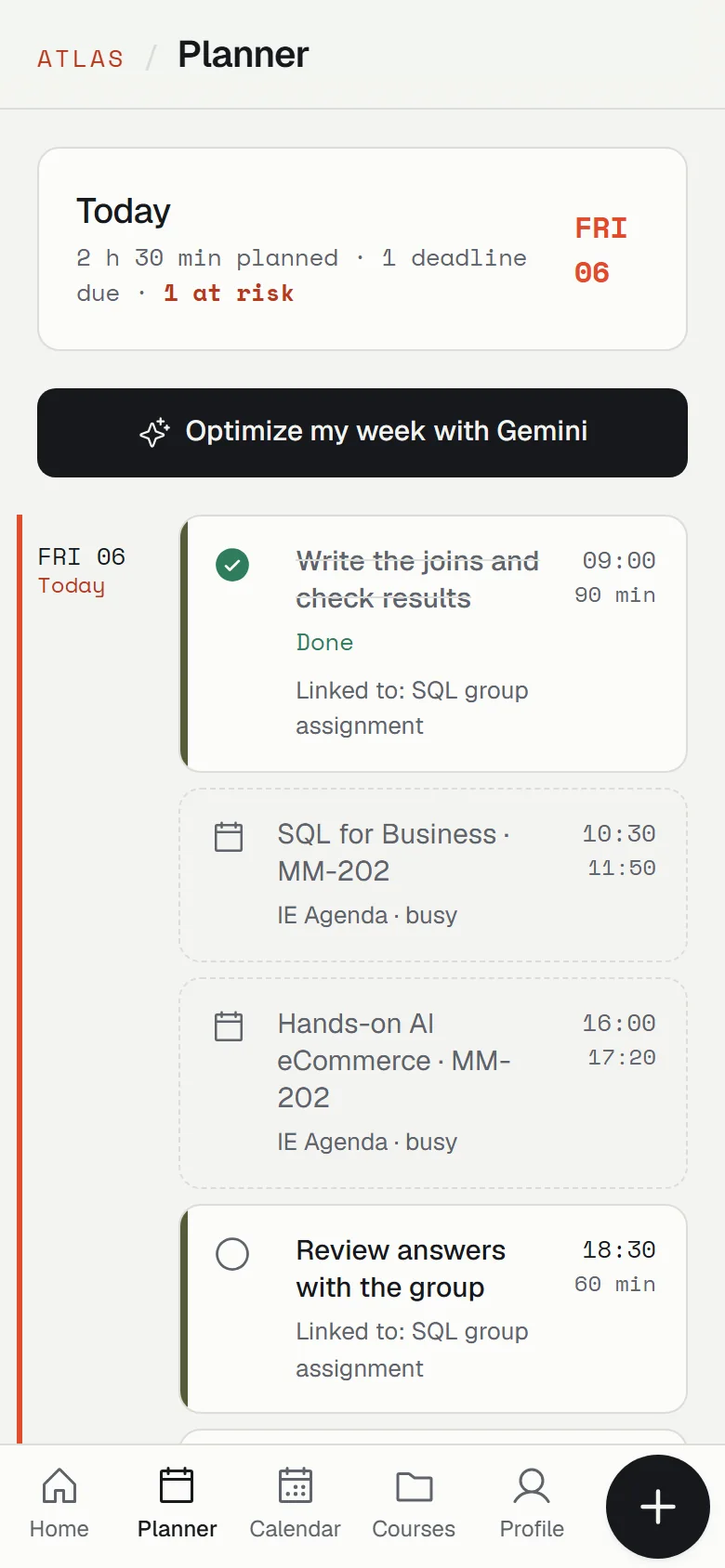
Atlas Lite separates the two things that matter: when something is due and when you will work on it. Deadlines appear only on their day. Work happens in blocks you choose.
Add your courses
Create a course in seconds, or paste its syllabus and let Gemini find every graded deadline.
Plan your work blocks
Decide when you will work on each deadline, around your classes and meetings.
Check you will make it
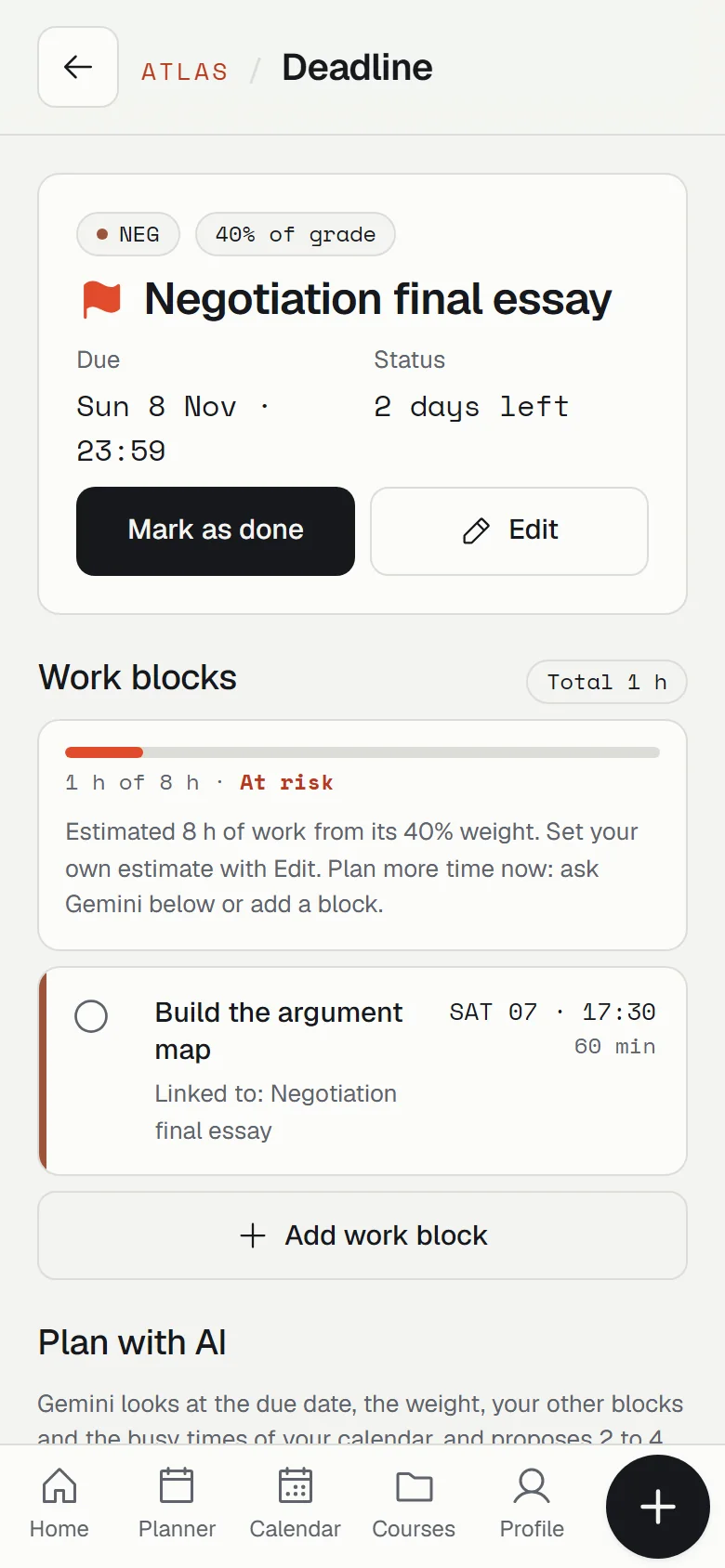
Planned against needed work, on every deadline. Short on time and close to the date turns At risk.
See if you will make it, before it is too late.
Every deadline shows planned against needed work, like 1 h of 8 h. The estimate comes from the weight of the deliverable, or you set your own. When the due date is close and less than half is planned, it turns At risk.
- Tick a block when it is done. Progress updates on the deadline.
- Missed blocks stay visible. Nothing quietly disappears until you move it.
Optimize my week, with you in charge.
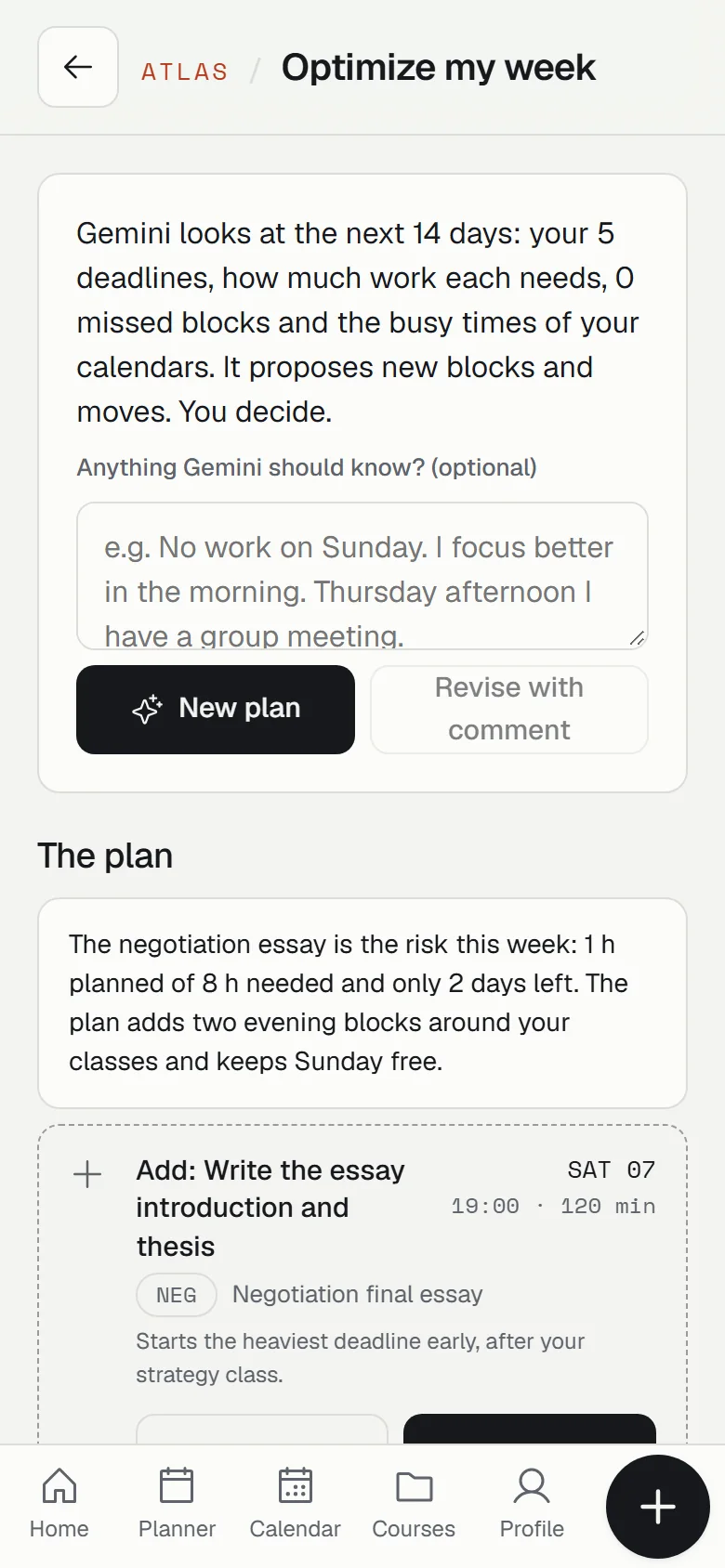
Gemini reads your next 14 days: deadlines, weights, missed blocks and the busy times of your calendars. It proposes new blocks and moves, each with a reason.
- Comment and revise. Write "no work on Sunday" and ask for a new plan.
- Approve or discard each change. Nothing is saved until you say so.
Your calendars, connected.
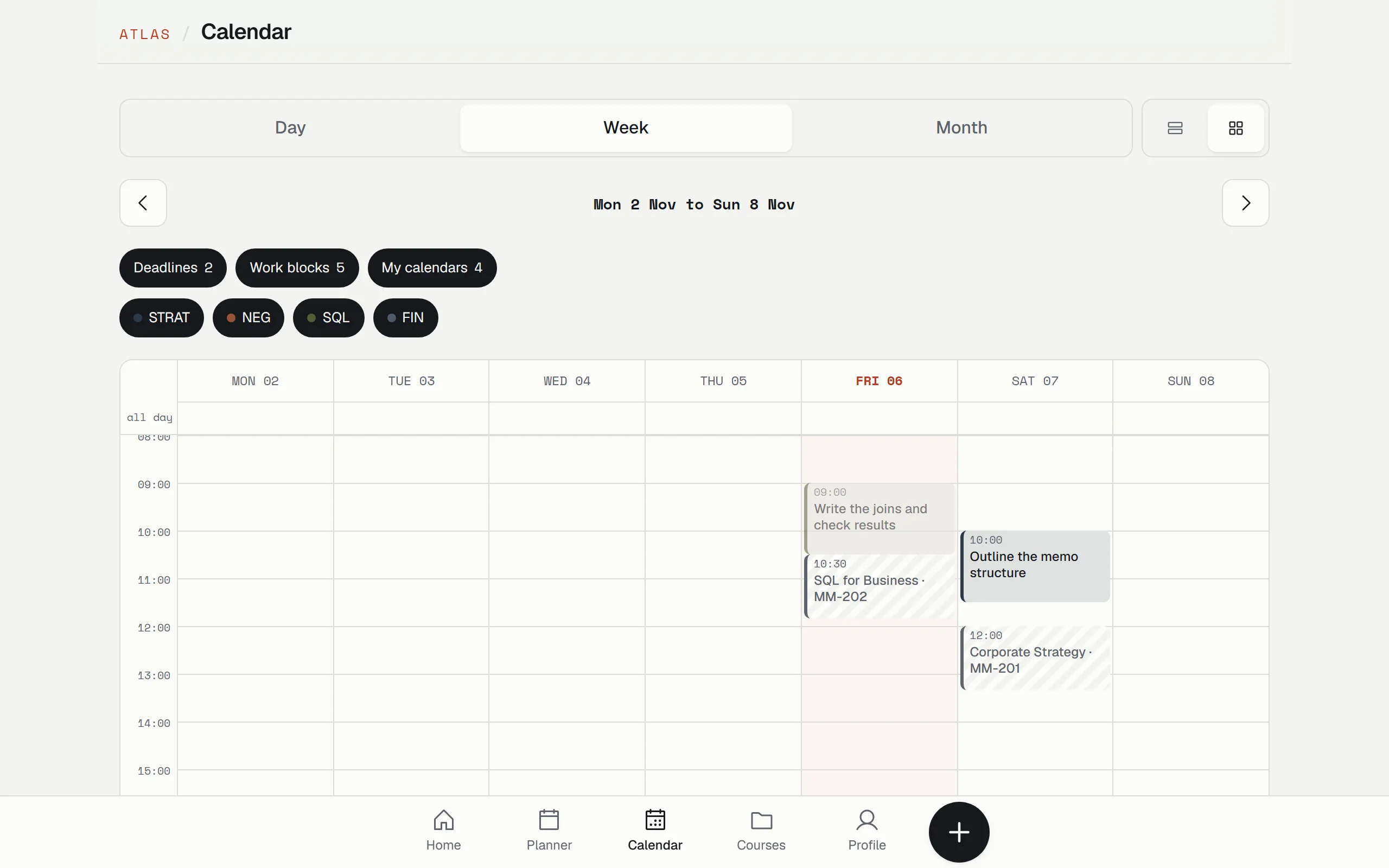
Import your Google, Outlook or school calendar. Classes show as busy time and Gemini plans around them. Switch between day, week and month, as an agenda or a time grid, and filter by course.
Import a course from its syllabus.
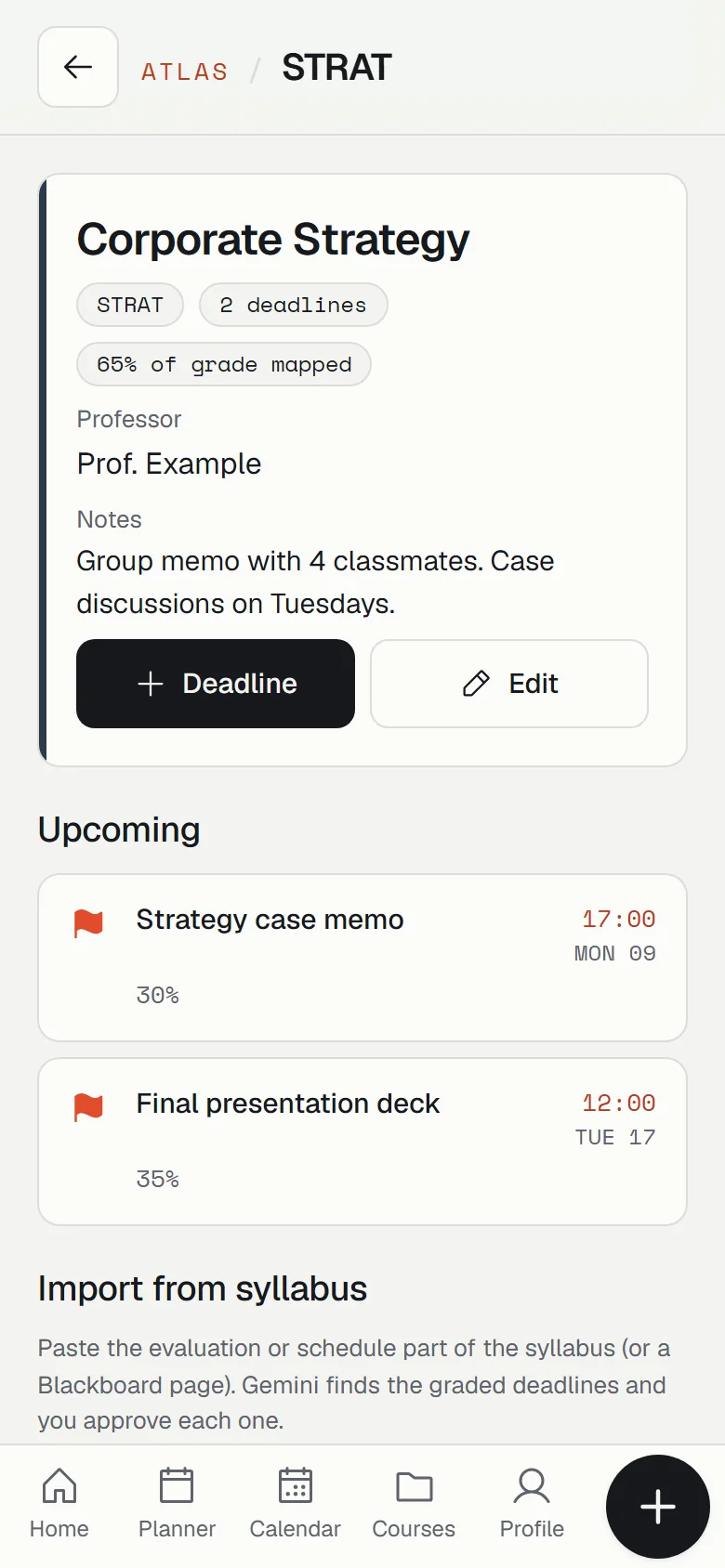
Paste the evaluation section of a syllabus or a Blackboard page. Gemini returns each graded deliverable with its date, time and weight, and quotes the line it came from so you can check it. You approve each one.
Each course keeps its professor, links and notes, and shows how much of the grade you have mapped.
Private by design
Your planner is yours. Nobody else can read it, and the AI never sees more than it needs.
- Only you see your data. Every row in the database is locked to your account.
- Gemini gets times, not titles. From your calendars it only receives busy hours, never event names.
- The AI key never reaches your browser. Gemini is called from the server, with a daily limit.
- AI suggests, you decide. Nothing is saved until you approve it.
Questions
Is it free?
Yes. Create an account with your email and start planning. The AI features have a fair-use limit of 10 requests per day.
Do I need to install anything?
No. It runs in the browser. On your phone you can add it to the home screen so it opens full screen, like an app.
Can Atlas change my Google Calendar?
No. Imported calendars are read only. If you subscribe to Atlas from your calendar, it only adds Atlas events to your view.
I did not get the confirmation email.
Check your spam or junk folder for an email from Atlas Lite. School email filters sometimes hold it for a few minutes.
Who made this?
Joaquín Cruz, an International MBA student at IE Business School, as the final project of the course Becoming a Solopreneur with No-Code & AI. Read the story.
Plan your next deadline on purpose.
Free, private, and ready on your phone in a minute.